Customer Experience
What this team is responsible for: who they are, how the customer journey works end to end, and the answers other teams ask for most.
About this team
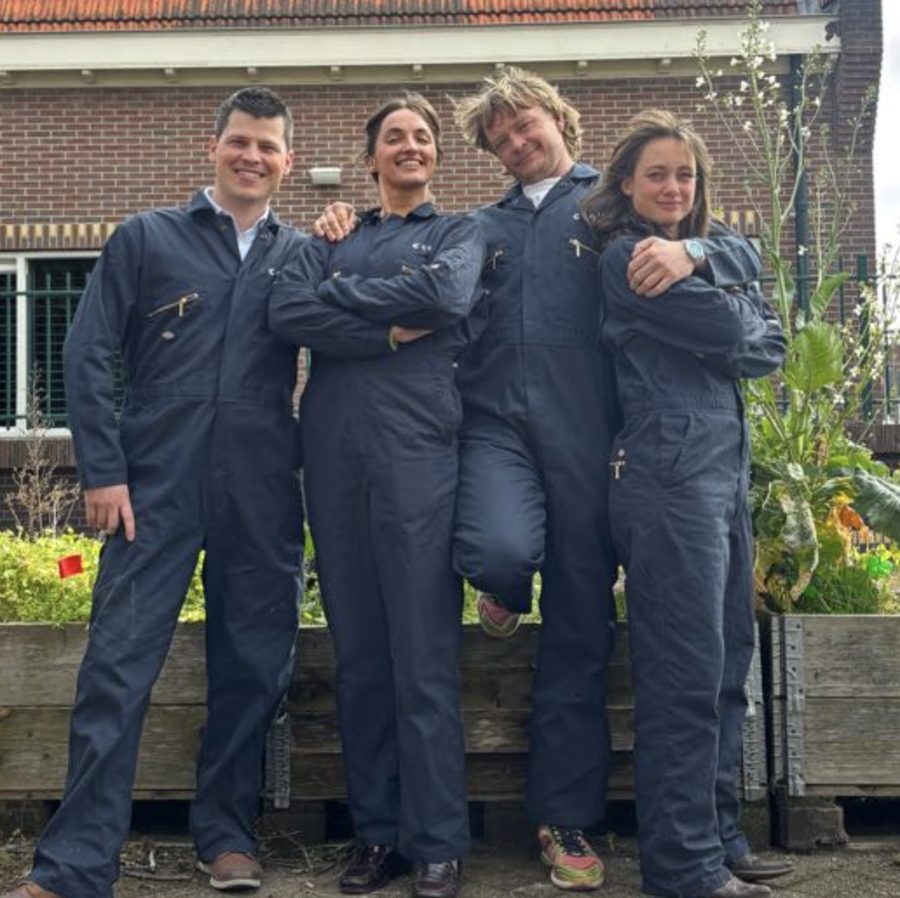
Hi! We're Customer Experience — Arwin, Marius, Lara & Renee.
We onboard new customers, stay closely involved with them afterward, and gather the feedback that keeps Collie improving. This page covers how we do that.
Customer Journey
Every phase a customer moves through after Sales marks a deal "closed won", end to end. Click a phase to expand it. Steps marked ◆ supporting material open up to show what's actually sent or used with the customer at that point.
1
Pre-onboarding
4 steps
Closed Won
- Sales hands the customer over to Customer Experience.
- Customer info is checked complete and payment is confirmed.
- A call is made to schedule the pre-onboarding visit.
Pre-onboarding visit
- Farm visit: gather details, walk the farm, photograph the layout for mapping.
- Check and reset customer expectations where needed.
- Set up a WhatsApp group with the customer; document everything in the CRM.
Mapping / farm & account creation
- The farm is created in Collie and fields/paths/barns are mapped in QGIS.
- The farmer creates an account, logs in, and adds gate pins per field.
- Fetch routes are mapped and the cow list is imported once mapping is confirmed accurate.
App exploration & mapping check
- The farmer explores the app and walks the farm to verify mapping accuracy.
- Questions get answered and readiness to onboard is confirmed.
How the support profile gets decided
Assessed during pre-onboarding, before training starts — this is what determines the support profile a customer gets in Onboarding:
- Did they already practice grazing before Collie?
- Do they want to change their grazing method?
- How comfortable are they with technology?
- What does the farm's infrastructure look like?
- Are other big changes happening on the farm at the same time as the Collie start?
2
Onboarding
3 steps
2.1
Pre-training
- Collar delivery logistics and the training week schedule are confirmed.
- Briefing covers the daily timeline, expected cow behaviour and emergency steps.
- Collars are checked on delivery for battery level and function.
Shared with the customer: Collie training guide
Collie gids (training guide)
shared during the pre-training briefingA Dutch-language training manual (web-based, with embedded diagrams) handed to the customer alongside the briefing call, covering both the behavioural training progression and the technical side of the device:
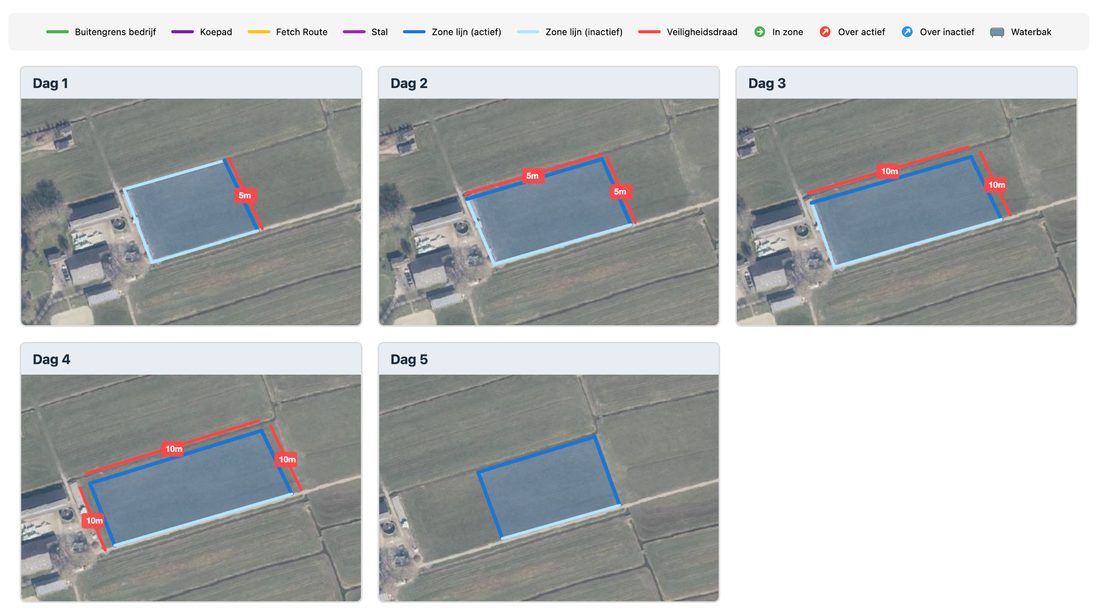
- Training protocol5-day phased approach: each day the herd is challenged step by step until they fully rely on the collar.
- The appExplanation about the app.
- The collarExplanation about the collar.
- FAQ'sAnswers to common questions.
- Emergency stopExtra attention to emergency stop and "what to do if…?"
Collie Tekentool (training drawing tool)
used at the farmA Dutch-language, browser-based mapping tool CS uses together with the farmer, on-site, to plan the rotational grazing layout. It steps through the farm boundary, the barn (entrance marked green, exit marked red), cow paths, fetch routes with optional balloon markers, grazing zones (Standard / Pasture A/B/C, each toggled active or inactive), physical safety fencing distance, water troughs and gate points — guided by Next/Previous/Skip/Undo controls across the 5 training days plus scenario planning, then exported as a PNG with a legend.
Installation & training
- Collars go on the cows; the training protocol runs over roughly 5 days (extendable).
- Every customer is matched to one of 4 support profiles based on their farm's situation — this sets how much attention CS gives them from day one of training onward, not just during the week itself. See the matrix below.
- After 5 days, proper attention to the herd is still needed! It takes roughly 5 days to remove the physical safety wire. Keep paying attention with every new pasture the herd starts grazing virtually in.
Support profile — matched at the start of training
Every customer is matched to one of four support profiles based on their farm's situation. This isn't just about the training week — it sets how much attention CS gives from day one onward, for as long as that profile applies.
Post-training
- The week after training: regular check-ins, remote data monitoring for concerning patterns.
- Quick responses to questions while the farmer builds confidence operating solo.
3
Onboarded
Ongoing
New customer — first season
- Early (month 1): weekly check-ins, same-day response to any question.
- Mid: bi-weekly check-ins as the farmer gets more independent.
- Late: monthly check-ins — largely independent by now.
- End of season: confidence is evaluated and the customer is classified for season 2.
Loop — support classification, season to season
Open question — the reverse direction
Mirroring the loop above: what would move a customer back from Low to High support isn't written down anywhere reviewed so far. Shown here as an open question, not a confirmed process.
To do: note real examples we've seen so far below, discuss between Sales and CX, and write up the actual pattern once we have one.
To be filled in by Sales/CX — real cases of a customer needing more support again after being marked low support.
High support customer — season 2+
- Bi-weekly proactive check-ins, active data monitoring, same-day response to questions.
- Explicit goal: build confidence and transition to low support when possible.
Low support customer — season 2+
- Brief check-in at season start, then minimal proactive outreach (monthly at most).
- Immediately available if the customer reaches out, but otherwise trusted to run independently.
knowledge-bank/teams/customer-experience/ in the repo — still status: draft, pending Renee's review.
FAQ's
The answers Sales needs most often about the handover and the onboarding journey. Click a question open for the full answer.
What happens after a deal is closed?
CX schedules a pre-onboarding farm visit as soon as customer information is complete and payment is confirmed — this is the formal handover moment from Sales to Customer Experience.
What happens after a deal is closed?
CX schedules a pre-onboarding farm visit as soon as customer information is complete and payment is confirmed — this is the formal handover moment from Sales to Customer Experience.
How long does the whole journey from sale to an independently-running customer take?
Expect a few weeks of pre-onboarding and mapping, a training week of roughly 5 days, and a first season where CX scales down from weekly to monthly contact.
How long does the whole journey from sale to an independently-running customer take?
Expect a few weeks of pre-onboarding and mapping, a training week of roughly 5 days, and a first season where CX scales down from weekly to monthly contact.
Why does one customer get much more hands-on support during the training week than another?
CX picks one of four training levels based on how much guidance the farmer needs and how big a change the grazing management represents.
Why does one customer get much more hands-on support during the training week than another?
CX picks one of four training levels based on how much guidance the farmer needs and how big a change the grazing management represents.
Do I as Sales still need to follow up after the sale, and when?
Yes — call the farmer around 3 weeks after onboarding finishes. A calendar entry for this is created automatically once CX wraps up the onboarding.
Do I as Sales still need to follow up after the sale, and when?
Yes — call the farmer around 3 weeks after onboarding finishes. A calendar entry for this is created automatically once CX wraps up the onboarding.
Who is my point of contact at Customer Experience for a specific customer?
CX aims for one dedicated point of contact per customer wherever possible — look it up on the customer accounts board on Monday.
Who is my point of contact at Customer Experience for a specific customer?
CX aims for one dedicated point of contact per customer wherever possible — look it up on the customer accounts board on Monday.
When does a returning customer become "low support" vs. "high support" for the next season?
At the end of each season, CX evaluates the customer's confidence and independence and classifies them accordingly for season 2 onward.
When does a returning customer become "low support" vs. "high support" for the next season?
At the end of each season, CX evaluates the customer's confidence and independence and classifies them accordingly for season 2 onward.
What tone does CX take with the farmer, and why does that matter for me as Sales?
CX communicates as "the respectful partner": honest about what will be hard, focused on building independence — don't make promises in the sale that clash with that.
What tone does CX take with the farmer, and why does that matter for me as Sales?
CX communicates as "the respectful partner": honest about what will be hard, focused on building independence — don't make promises in the sale that clash with that.
Is there customer support during the weekend?
Yes — someone is always reachable on the emergency number. CX rotates who's on weekend duty. Non-urgent questions get picked up again after the weekend.
Is there customer support during the weekend?
Yes — someone is always reachable on the emergency number. CX rotates who's on weekend duty. Non-urgent questions get picked up again after the weekend.